
The Short Version
- Most businesses have no idea how many copies of their keys exist, and no way to find out
- Key fobs and smart cards can be revoked in seconds from a phone. Physical keys cannot.
- Access control logs every entry event, giving you a record insurers and investigators can use
- A single-door fob system starts around £600 installed, less than a single lock replacement on a multi-exit building
A member of staff leaves your business. You collect their lanyard, deactivate their Microsoft 365 account, and update the HR system. Somewhere in a drawer at home, their door key sits untouched. You have no record it exists, no way to deactivate it, and no mechanism to find out if a copy was ever made. Six months later it still opens your front door.
This is not a rare scenario. It is the default state for most businesses running on physical keys. The problem compounds with every leaver, every contractor, and every lost key that prompted a replacement rather than a complete re-key. Physical keys cannot be audited. They cannot be revoked. And most businesses have no idea how many of them are out there.
Why Staff Leavers Keep Their Access
The moment an employee leaves, every digital access you granted them gets revoked: email accounts, cloud drives, payroll systems, door fob if they had one. The physical key they were issued on their first day, or picked up informally from the key hook at some point, is a different matter.
Most businesses try to collect keys on the last day. Some succeed. Many do not, particularly when a departure is acrimonious, sudden, or handled poorly. And even when you collect the key you issued, you cannot know whether a copy was made. Key-cutting costs about £3 at any hardware shop and takes three minutes.
Multiply that across contractors, temporary staff, and service engineers who were given keys for a site visit and never asked to return them. Two to three years of staff turnover worth of unchecked physical access, with no way to audit it.
The question to ask yourself: if you changed the locks on every external door today, how many people would call to say their key no longer works? If the answer is more than your current headcount, your building is accessible to people who no longer work for you.
Contractors Are a Separate Risk
Staff leavers are the visible problem. Contractors are the quieter one. Most businesses issue temporary keys to cleaning companies, maintenance firms, IT engineers, and equipment service teams without any tracking or expiry process. The key goes out and, unless someone chases it, the key stays out.
A cleaning contract ends and the company changes. The keys issued to the previous provider are never recovered. The new provider gets new keys cut. Over five years, three cleaning companies may have had access to your premises and you have physical keys in circulation for all of them.
Access control closes it. You issue a time-limited credential to a contractor that expires at the end of their engagement. No chasing, no re-keying. The card stops working at the configured date and time.
How Access Control Works
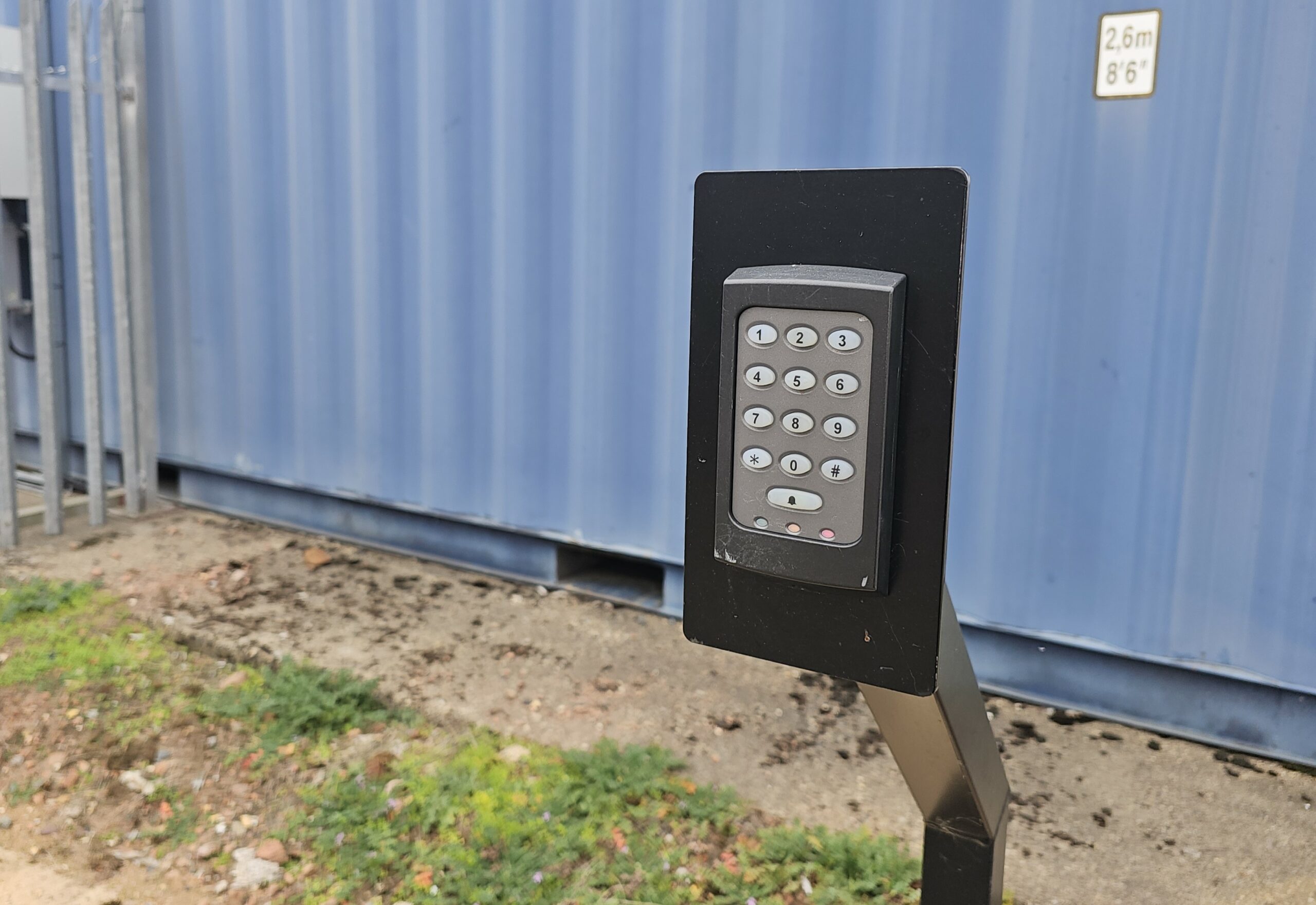
An access control system replaces the cylinder lock on a door with an electronic reader and a lock that only releases when it receives a valid credential. The credential is a key fob, smart card, mobile phone, PIN, or biometric depending on the system. The reader checks the credential against a database held on a controller panel, and either releases the lock or denies entry.
Every event is logged: authorised entry, denied attempt, door held open too long, all with a timestamp and credential ID. That log is accessible from a web portal or app. You can see who entered which door and when, export it for an investigation, or set up alerts for out-of-hours access.
Adding a new user takes about 30 seconds in the management portal. Removing one takes less. You do not need to be on site. You do not need a locksmith. The credential stops working the moment you deactivate it, and the change takes effect immediately.
For businesses with multiple zones (a public reception, a staff area, and a restricted server room, for example), access control lets you set those permissions per user. A receptionist gets through the front door. An IT contractor gets into the server room during business hours. A director gets everywhere, any time.
Choosing the Right System
The right system depends on three things: how many doors you need to control, how many users you have, and what credential type suits your operation. Here is how to think through each.
Credential type
Key fobs and smart cards are the standard choice for most commercial sites. They are cheap to replace, easy to issue, and work reliably. Mobile credentials (Bluetooth or NFC via a phone app) are growing in use, particularly for sites with high turnover where issuing physical cards is inconvenient. PIN pads work for small teams where sharing a code is acceptable, though they provide no individual audit trail. Biometric readers (fingerprint or face) suit high-security areas like server rooms or dispensaries, with no credential to lose or share.
Number of doors
Entry-level standalone controllers manage one or two doors independently. These suit a small office that just needs the front door and a server room covered. Networked systems connect multiple door controllers to a central management platform and scale from 4 doors to hundreds. If you have more than two doors to control, a networked system gives you a single place to manage all of them.
Integration with CCTV
If you already have CCTV, ask whether your access control system can link to it. When both systems communicate, a door event triggers the relevant camera to bookmark that timestamp. Pull up the access log entry and the footage is already queued. When investigating a theft, an after-hours entry, or a disputed visit, this saves hours.
- Does the system support time-scheduled credentials so contractors expire automatically?
- Can I manage users remotely from a phone or browser without being on site?
- What happens to the door if the power goes out: does it fail open or fail locked?
- Can the system integrate with my existing CCTV?
- How many users does the controller support, and what is the upgrade path if we grow?
- Is the management software hosted by the supplier, or does it run on hardware I own?
What It Costs
A single-door fob system (reader, electromagnetic lock, controller, power supply, and installation) typically starts around £600 for a straightforward door on an existing frame. That covers one entry point with full remote management and an unlimited user count.
A four-door networked system for a medium office typically runs £2,500 to £4,000 depending on door type, cabling requirements, and whether existing infrastructure can be reused. Multi-site systems with dozens of doors are quoted individually.
A full re-key of a commercial premises with five external doors, a reception, a server room, and two stairwell doors costs £800 to £1,500 with a locksmith. It solves the problem once. The next time someone leaves, the cycle starts again. Deactivating a credential takes 30 seconds and does not expire.
Frequently Asked Questions
Book a Free Access Control Survey
Tell us how many doors you need to secure and we will visit, assess your options, and quote everything line by line. No generic proposals.
